Here's an uncomfortable truth: 35% of AI customer service projects never break even. Not because the technology failed, but because no one tracked the right metrics to optimize performance.
The difference between AI that transforms your business and AI that quietly drains your budget comes down to measurement. This guide gives you the exact KPIs, benchmarks and formulas to ensure your AI phone agent delivers real, measurable value.
The Three Categories of AI Phone Agent Metrics
Not all metrics are created equal. The KPIs that matter fall into three distinct categories and you need visibility into all three to get the full picture.
Operational Efficiency
How well is your AI handling calls? Resolution rates, handle time, escalation frequency.
Customer Experience
Are customers satisfied? CSAT scores, NPS, customer effort, sentiment.
Financial Impact
Is it worth it? Cost per interaction, ROI, revenue captured, savings realized.
The 12 Essential KPIs
Resolution Rate
Why It Matters
This is the ultimate test of AI effectiveness. High resolution means your AI actually solves problems, not just deflects them.
How to Calculate
(Calls resolved by AI ÷ Total calls handled by AI) × 100
First Contact Resolution (FCR)
Why It Matters
Every 1% increase in FCR reduces operating costs by 1% AND improves customer satisfaction. It's the rare metric that helps both sides.
How to Calculate
(Issues resolved on first contact ÷ Total issues) × 100
Average Handle Time (AHT)
Why It Matters
Faster isn't always better, but AI should resolve issues quickly without sacrificing quality. Klarna's AI cut resolution time from 11 minutes to 2 minutes.
How to Calculate
Total call time ÷ Number of calls
Escalation Rate
Why It Matters
Some escalation is expected and healthy. But high escalation means your AI isn't equipped to handle common scenarios or doesn't know its limits.
How to Calculate
(Calls transferred to humans ÷ Total AI calls) × 100
Customer Satisfaction (CSAT)
Why It Matters
80% of service organizations use CSAT as their primary CX metric. It's the most direct measure of whether customers are happy with the AI experience.
How to Calculate
(Positive ratings ÷ Total ratings) × 100
Customer Effort Score (CES)
Why It Matters
Reducing customer effort increases loyalty. AI should make things easier, not harder. Low CES means customers had to work too hard.
How to Calculate
Average of "ease of experience" ratings (typically 1-7 scale)
Containment Rate
Why It Matters
A containment rate above 65% means your AI is handling a significant portion of inquiries independently. This directly impacts cost savings.
How to Calculate
(Calls handled entirely by AI ÷ Total calls) × 100
Call Abandonment Rate
Why It Matters
High abandonment suggests frustration, either with wait times the AI's responses or inability to get through. Each abandoned call is a lost opportunity.
How to Calculate
(Abandoned calls ÷ Total calls) × 100
Response Latency
Why It Matters
Natural conversations expect responses within 500-800ms. Delays of 3-4 seconds feel awkward and frustrating. Speed creates the illusion of intelligence.
How to Measure
Average milliseconds between end of customer speech and start of AI response
Cost Per Interaction
Why It Matters
Live agent calls cost $10-14 each. AI calls should cost a fraction of that. This is where you prove ROI.
How to Calculate
Total AI costs ÷ Number of calls handled
Booking/Conversion Rate
Why It Matters
For booking-focused businesses, this is the ultimate metric. AI that answers questions but doesn't convert is leaving money on the table.
How to Calculate
(Bookings completed ÷ Booking-intent calls) × 100
After-Hours Capture Rate
Why It Matters
This is pure upside, calls you'd have missed entirely. Peak shopping hours (8-10 PM) often happen when you're closed.
How to Calculate
Calls handled outside business hours ÷ Total calls
Calculating Your ROI
Here's the formula that matters most, proving your AI investment pays off.
ROI = (($750 + $3,000 − $250) ÷ $250) × 100 = 1,400% ROI
💰 Quick ROI Calculation Steps
Industry Benchmarks
How do top performers stack up? Here's what the data shows across industries:
| Metric | Industry Average | Top Performers |
|---|---|---|
| Resolution Rate | 50-65% | 83%+ (Sobot clients) |
| First Contact Resolution | 70% | 80%+ (world-class) |
| Customer Satisfaction | 75-80% | 94%+ (OPPO via AI) |
| Average Handle Time | 6+ minutes | 2 minutes (Klarna AI) |
| Cost Reduction | 30% | Up to 90% (advanced AI) |
| Containment Rate | 50-60% | 96% (optimized bots) |
Sample Dashboard
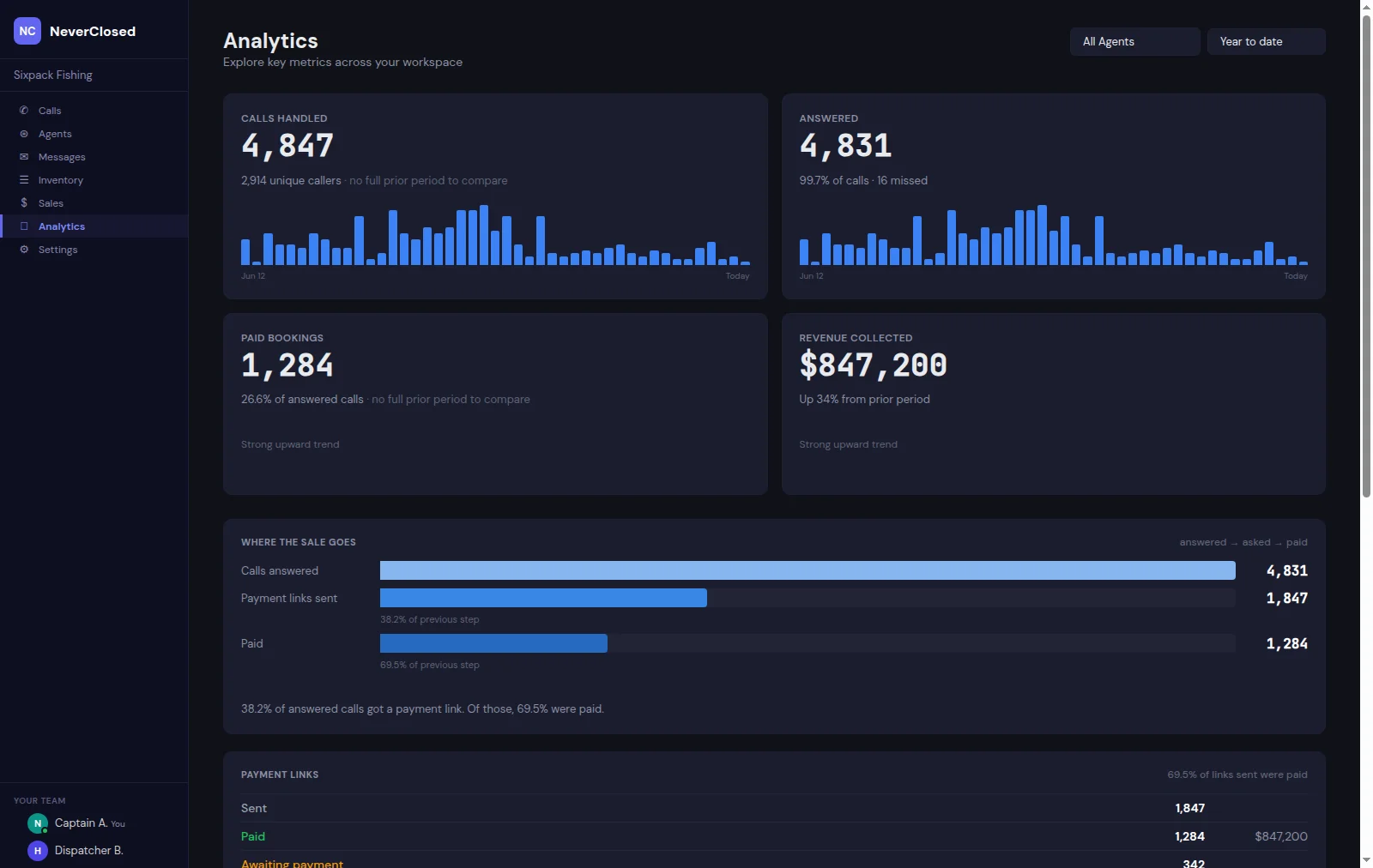
Here's what a healthy AI phone agent dashboard looks like. See the full NeverClosed.AI dashboard →
AI Agent Performance Dashboard
Last 30 DaysWhen to Review Each Metric
📅 Daily Check
- Call volume Spot anomalies
- Abandonment rate Flag issues fast
- Critical escalations Address urgent problems
📊 Weekly Review
- Resolution rate Track improvement
- CSAT scores Customer feedback
- Common questions Training opportunities
📈 Monthly Analysis
- Full ROI calculation Prove value
- Cost per interaction Efficiency gains
- Benchmark comparison Competitive position
🎯 Quarterly Strategy
- Trend analysis Long-term patterns
- Knowledge base gaps Training updates
- ROI vs goals Strategic adjustments
What Good AI Providers Give You
The best AI phone agent providers include robust analytics. Make sure yours offers:
Analytics Checklist
The Bottom Line
The businesses that succeed with AI phone agents are the ones that measure religiously. Not just during the first week, continuously.
Start with the core four: Resolution Rate, CSAT, Cost Per Interaction and ROI. Once those are healthy, expand your measurement to the full dozen. Set benchmarks, review regularly and use the data to continuously optimize.
Remember: AI that you can't measure is AI you can't improve. And AI you can't improve will eventually disappoint.
"Organizations using Gen AI–enabled customer service agents saw a 14% increase in issue resolution per hour and a 9% reduction in time spent handling issues."
, McKinsey, 2025
Get Detailed Analytics From Day One
NeverClosed.AI includes comprehensive dashboards so you always know exactly how your AI is performing.
See Our Analytics in Action